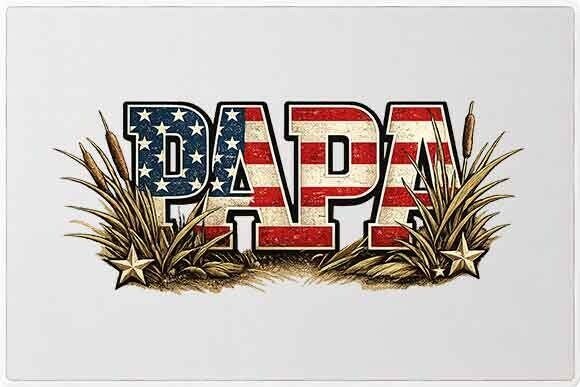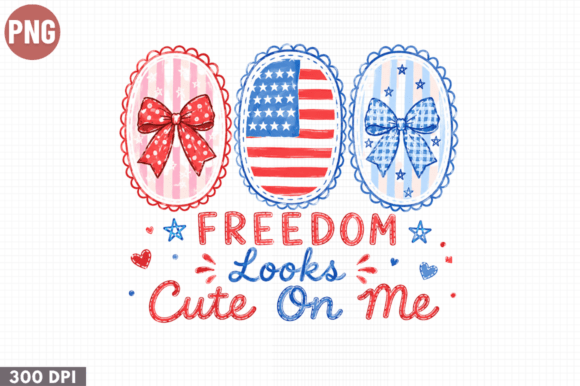
Love My Country Patriotic PNG: A Practical Guide for Sublimation Success
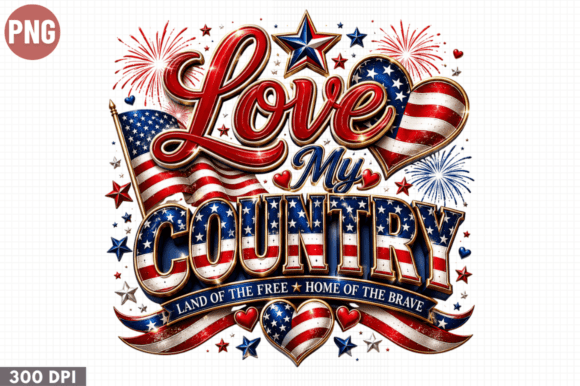
Patriotic merchandise remains a consistent seller year-round, but the demand spikes significantly during national holidays and election seasons. For crafters and small business owners, the Love My Country Patriotic PNG offers a versatile foundation for creating apparel, drinkware, and home decor. However, having a high-quality digital file is only half the battle. The difference between a professional product and an amateur attempt often lies in how you handle the file before it ever touches the heat press.
This design is specifically optimized for sublimation printing, t-shirt design, mugs, tote bags, and more. It arrives as a high-resolution digital download with a transparent background, meaning it is ready to print without extensive editing. While this convenience is ideal for print-on-demand creators and hobbyists, assuming that "ready to print" means "foolproof" can lead to costly material waste. Understanding the technical nuances of this specific file type ensures your creative ideas translate perfectly from screen to physical product.
Common Misunderstandings About Transparent Backgrounds
One of the most frequent issues creators face with patriotic sublimation designs involves the transparent background itself. Many users assume that because a PNG has transparency, it will automatically blend seamlessly with any substrate color. This is a dangerous assumption in sublimation printing. Unlike vinyl, where the material itself provides the color, sublimation ink is translucent. If you place this Love My Country Patriotic PNG on a dark garment without a white underbase or a specialized dark-substrate transfer paper, the design will appear muted or invisible.
Even on light-colored items, transparency can be tricky. If your design software does not display a checkerboard pattern behind the image, you may inadvertently print a white box around your artwork. Before sending anything to the printer, always verify transparency by placing the PNG over a colored layer in your design software like Canva, Photoshop, or Silhouette Studio. If the background turns that color, you are safe. If it stays white, you have a layered JPEG masquerading as a PNG, or the transparency was flattened during export. Catching this error digitally saves you from ruining expensive blanks.
Resolution and Sizing Pitfalls
High resolution is a standard feature of this digital download, but resolution is relative to print size. A common mistake occurs when creators stretch a digital file beyond its optimal dimensions to fit larger items like oversized hoodies or garden flags. While vector files can scale infinitely, raster PNGs cannot. Stretching a 300 DPI image to double its size effectively drops the resolution to 150 DPI, resulting in pixelated edges and blurry text that looks unprofessional on finished goods.
To avoid this, check the pixel dimensions immediately upon downloading. Calculate your maximum print size based on 300 DPI standards. If you need a larger format, look for settings in your RIP software or printer driver that offer interpolation, though native resolution is always superior. For items like tumblers or phone cases where precision matters, measure your printable area physically before resizing the digital asset. It is better to center a crisp, correctly sized design than to fill the space with a distorted image.
Color Management and Monitor Calibration
The product note mentions that colors may vary slightly due to monitor settings, but this disclaimer often gets overlooked until after the first failed test print. Screens emit light using RGB color profiles, while sublimation printers use CMYK inks. Your monitor might display a vibrant, neon red for the patriotic theme, but your printer may output a duller, brick-red tone because that specific neon shade exists outside the CMYK gamut.
Relying solely on visual screen matching is a recipe for inconsistency. Instead of guessing, create a physical color chart using your specific printer, ink, and paper combination. Print small swatches of the colors used in the Love My Country Patriotic PNG and press them onto your intended substrate. Use this physical reference as your true color guide rather than your monitor. Additionally, ensure your printer profile matches your paper type. Using a generic setting instead of a manufacturer-specific ICC profile is one of the easiest ways to muddy the bright blues and reds essential to patriotic aesthetics.
Software Compatibility and Workflow Efficiency
This design is compatible with Cricut Design Space, Silhouette Studio, Photoshop, Canva, and other PNG-supporting software. However, compatibility does not guarantee identical behavior across platforms. Some entry-level design programs automatically apply compression or alter color profiles when importing large PNG files to save memory. This can degrade quality without warning.
Always inspect the file properties within your specific software after import. If you notice banding in gradients or jagged edges on text that looked smooth in the preview, the software may be downsampling the image. In such cases, try converting the PNG to a high-quality TIFF or working at a higher canvas resolution. For users of Cricut Design Space, remember that the platform sometimes struggles with extremely large file sizes. If the upload fails or lags, do not simply compress the image; instead, crop unnecessary transparent space from the borders to reduce file size without sacrificing print quality.
Evaluating Suitability for Different Products
While this patriotic design is marketed for t-shirts, mugs, tote bags, pillows, and wall art, not all substrates accept sublimation equally. Polyester content is non-negotiable for fabrics. Applying this design to a 50/50 cotton-poly blend will result in a vintage, faded look because the ink only bonds to the polyester fibers. If your goal is a bold, opaque graphic, this blend will disappoint. Conversely, hard substrates like mugs and phone cases must have a poly-coating specifically designed for sublimation. Standard ceramic mugs or glassware without this coating will wash off immediately.
Before purchasing or printing, verify the material composition of your blank. For mixed-media projects like greeting cards or stickers, consider that sublimation ink requires heat activation. If you are using this PNG for non-heat applications, you must switch to inkjet printable vinyl or sticker paper and adjust your printer settings accordingly. Using the wrong medium for the application method renders even the highest quality digital file useless.
Digital Download Best Practices
Since this is a digital file only with no physical shipment, organization is key to long-term usability. A frequent error among new entrepreneurs is failing to back up original files or losing track of licensing terms. Store your master Love My Country Patriotic PNG in a cloud backup system separate from your working project folders. Never edit the master file directly; always work on a copy. This preserves the original high-resolution asset for future projects or different product lines.
Furthermore, understand the commercial usage rights associated with your download. Just because a file is high quality does not mean it is cleared for unlimited commercial reproduction. Review the license details to determine if there are caps on unit sales or requirements for attribution. Respecting these terms protects your business from legal issues and supports the designers who create these assets. By combining technical diligence with proper asset management, you transform a simple digital download into a reliable revenue stream for your creative business.